
We obsess over Large Language Models (LLMs) like GPT-4, Claude, and Gemini. We debate their reasoning capabilities, their context windows, and their hallucination rates.
But for a business leader trying to automate actual work, a Brain is useless without Hands.
An LLM can write a brilliant email, but it cannot click "Send" in your CRM. It can analyze a spreadsheet, but it cannot log into your bank portal to download the transaction history. It can plan a marketing campaign, but it cannot open the TikTok app to post a video.
This is the "Execution Gap."
To bridge this gap, AI Agents need an Execution Layer—an infrastructure that translates cognitive reasoning into digital action.
In 2026, a complete Execution Layer must be dual-core. It requires Browser Use (to navigate the desktop web) AND Mobile Use (to navigate native apps).
Promoi is the first platform to unify these two capabilities into a single, secure infrastructure. This article explores why the "Execution Layer" is the most critical component of your AI strategy and how fusing Web and Mobile capabilities unlocks the true potential of your Digital Workforce.
Part 1: The Anatomy of an AI Employee
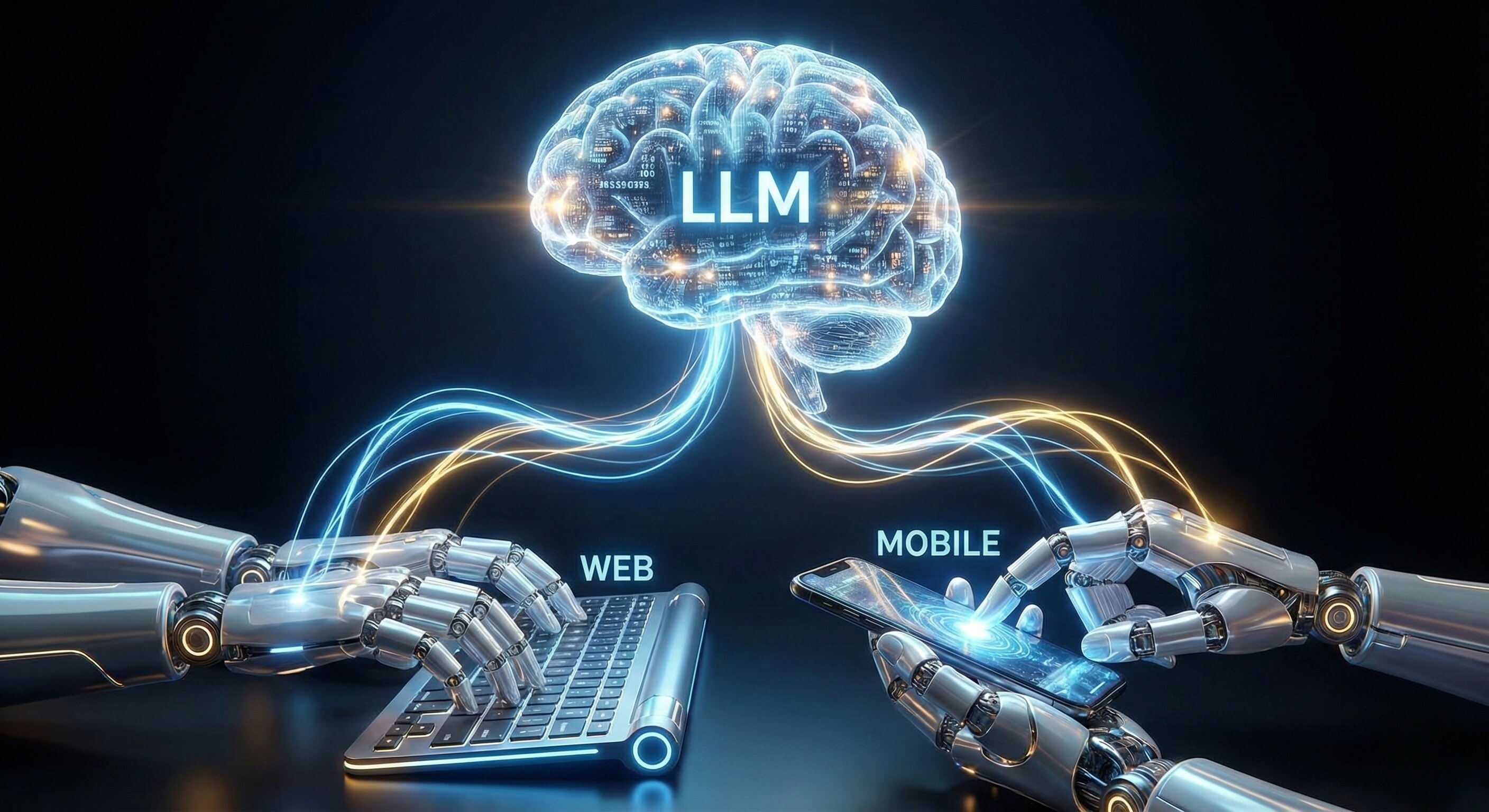
Brains vs. Bodies
To understand where Promoi fits, imagine the anatomy of a digital worker.
1. The Cognitive Layer (The Brain)
This is the LLM (e.g., OpenAI, Anthropic).
-
Function: Reasoning, Planning, Drafting content, Making decisions.
-
Limitation: It is a text-in, text-out engine. It lives in a void. It has no access to your internal tools or the open web unless you give it tools.
2. The Execution Layer (The Body)
This is Promoi.
-
Function: Perception and Action.
-
Browser Use (The Left Hand): Interacts with desktop interfaces, SaaS dashboards, and complex web portals.
-
Mobile Use (The Right Hand): Interacts with native iOS/Android apps via Cloud Mobile, social media platforms, and mobile-first ecosystems.
-
Visual Perception (The Eyes): Powered by our Visual AI Engine, it sees the screen, understands UI layout, and adapts to changes.
Without the Execution Layer, an AI is just a chatbot. With the Execution Layer, it becomes an AI Employee.
Part 2: Browser Use (The Web Capability)
Navigating the Desktop World
The modern enterprise runs on SaaS. Salesforce, HubSpot, Jira, NetSuite—these are complex, desktop-first web applications.
Browser Use gives your AI Agents the ability to:
-
Authenticate Securely: Handle Single Sign-On (SSO), 2FA, and complex login flows that stump basic scripts.
-
Manage Complex UIs: Navigate multi-tab workflows, drag-and-drop interfaces (like Trello), and dynamic dashboards.
-
Process Unstructured Data: "Read" a competitor's website, not just scraping the code, but understanding the visual hierarchy of their pricing page.
Why API-Only Agents Fail Here: Most legacy SaaS platforms have rate-limited or incomplete APIs. A "Browser Use" agent doesn't need an API. If a human employee can do it in Chrome, the agent can do it. This creates Universal Compatibility.
Part 3: Mobile Use (The App Capability)
Closing the "Mobile Gap"
This is where most automation strategies fall apart. In 2026, nearly 60% of internet traffic is mobile. Critical platforms like TikTok, Instagram, Snapchat, and many B2B gig-economy apps are "Mobile-First" or "Mobile-Only."
If your AI Agent only lives in a desktop browser, it is locked out of:
-
Posting Content: Uploading Reels/Shorts often requires the native app for full feature access (music, filters).
-
Direct Messaging: Many platforms restrict DM capabilities on their web versions to prevent spam.
-
Location-Based Tasks: Verifying how ads appear in specific geolocations requires mobile device telemetry.
Mobile Use gives your AI Agents access to a Native Mobile Workspace. It’s not an emulation trick. It’s a high-fidelity environment where the agent can swipe, tap, and interact with the genuine Android application.
This ensures your AI workforce can operate across the entire digital landscape, not just the desktop half.
Part 4: The Power of Hybrid Workflows

Orchestrating Web and Mobile Together
The true power of Promoi lies in Unified Orchestration. You can build workflows that span both environments seamlessly.
Scenario A: The Omni-Channel Marketer
-
Step 1 (Web): The AI Agent uses Browser Use to research trending topics on LinkedIn and Google News (Desktop view for data depth).
-
Step 2 (Brain): The LLM drafts a short video script based on the research.
-
Step 3 (Mobile): The AI Agent switches to Mobile Use. It opens CapCut or TikTok on a native Android environment, uploads the assets, applies trending audio, and publishes the video.
Scenario B: The E-Commerce Price Monitor
-
Step 1 (Web): The Agent checks a competitor's prices on their desktop website using Browser Use.
-
Step 2 (Mobile): The Agent opens the competitor's mobile app using Mobile Use to check for "App-Exclusive" deals or loyalty pricing.
-
Outcome: A comprehensive pricing report that captures the full market reality, not just the web view.
Part 5: Infrastructure & Security
The "Digital VDI" Standard
Giving AI agents access to browsers and phones sounds risky. That is why the Execution Layer must be secure. Promoi builds this layer on the concept of Isolation.
1. Isolated Workspaces (Sandboxing)
Every AI Worker runs in its own hermetically sealed environment via our Anti-detect Browser technology.
-
Web: A dedicated, encrypted Chromium instance.
-
Mobile: A dedicated, isolated Android environment. Data never leaks between agents. If Agent A catches a virus from a malicious site, Agent B is completely unaffected.
2. Identity Persistence
Real work requires memory. You don't fire your employee every day and hire a new one tomorrow. Promoi’s Execution Layer preserves Session State (cookies, local storage, device ID) securely. This means your AI Agent doesn't have to log in via SMS verification every single time it runs a task. It maintains "Identity Continuity," which is crucial for platform compliance and trust scores.
3. Compliance-Aware Pacing
The Execution Layer enforces "Human Limits." Even if the LLM can generate 100 replies in a second, the Execution Layer throttles the action to match human typing speed. This protects your brand from being flagged for "inorganic behavior."
Part 6: Comparison Table
The Evolution of Execution
|
Feature |
API-Based Agents (Gen 1) |
Browser-Only Agents (Gen 2) |
Promoi Execution Layer (Gen 3) |
|---|---|---|---|
|
Reach |
API-enabled apps only |
Desktop Web only |
Desktop Web + Native Apps |
|
Resilience |
Brittle (Breaks on API change) |
High (Visual Adaptation) |
High (Visual + Touch Adaptation) |
|
Setup |
High code requirement |
Moderate (No-code) |
Low (Natural Language) |
|
Mobile Access |
None |
Limited (Mobile Web view) |
Full Native App Access |
|
Identity |
API Key |
Browser Fingerprint |
Full Device Identity |
|
Security |
Data often exposed |
Sandboxed |
Enterprise Isolated VDI |
Part 7: Building Your Execution Strategy
From "Chatting" to "Doing"
If you are ready to move from "Chatting with AI" to "Employing AI," you need to focus on the Execution Layer.
-
Audit Your Workflows: Identify which steps happen on a desktop (CRM, Email, Spreadsheets) and which happen on mobile (Social Posting, DMs, Testing).
-
Select the Environment: Use Promoi to assign the right "Body" to the task. Don't force a browser agent to do a mobile job.
-
Define the Guardrails: Set the operational limits (hours of operation, max actions) within the Execution Layer settings.
-
Deploy: Watch as your AI Agent moves the mouse, types the keys, and taps the screen—executing work autonomously.
FAQ: The Execution Layer
-
Q: Do I need separate subscriptions for Web and Mobile agents?
-
A: No. Promoi offers a unified credit system. You manage your entire digital workforce from a single dashboard, allocating resources to Web or Mobile tasks as needed.
-
-
Q: Is "Mobile Use" just simulating a mobile browser?
-
A: No. It involves running the actual native Android application in a secure cloud environment. The AI interacts with the app's genuine UI, ensuring access to all native features (camera, geolocation, touch gestures).
-
-
Q: How does the AI "see" the screen?
-
A: The Execution Layer utilizes Computer Vision. It takes snapshots of the screen (Web or Mobile) and converts the visual pixels into a structured understanding (e.g., "There is a blue Submit button in the top right"). This allows the LLM to decide where to click or tap.
-
-
Q: Is this secure for corporate data?
-
A: Yes. The Execution Layer is built on a Zero-Trust model. All sessions are encrypted, isolated, and ephemeral (optional). You can choose to wipe the environment after every task or maintain persistence for long-term accounts.
-
Conclusion: Give Your AI Hands
An AI without an Execution Layer is a brain in a jar. It can think, but it cannot touch the world.
By combining Browser Use and Mobile Use, Promoi provides the complete body for your digital workforce. It enables your AI employees to go where your customers are, use the tools your team uses, and execute work with human-like fidelity.
Stop building chatbots. Start building a workforce.