
Every major platform, from LinkedIn to complex SaaS dashboards, is protected by sophisticated security layers designed to filter out malicious bots. These systems check for one thing: "Is this user real?"
For legitimate businesses trying to automate workflows—like market research, lead qualification, or content distribution—this poses a critical challenge. If you use traditional automation tools (which run on "Headless" browsers), your AI Agents look like ghosts. They lack the digital heartbeat of a real user.
The result? False Positives. Your legitimate business operations get flagged, blocked, or shadowbanned, not because you are doing something malicious, but because your infrastructure looks suspicious.
The solution is not to "hack" the system. The solution is to provide your AI Agents with a Real Browser Sandbox.
This article explains why the "Environment" is just as important as the "Intelligence," and how Promoi’s Anti-detect Browser technology ensures your digital workforce operates with the same validity and continuity as your human employees.
Part 1: The "Headless" Trap
Why Standard Scripts Get Blocked
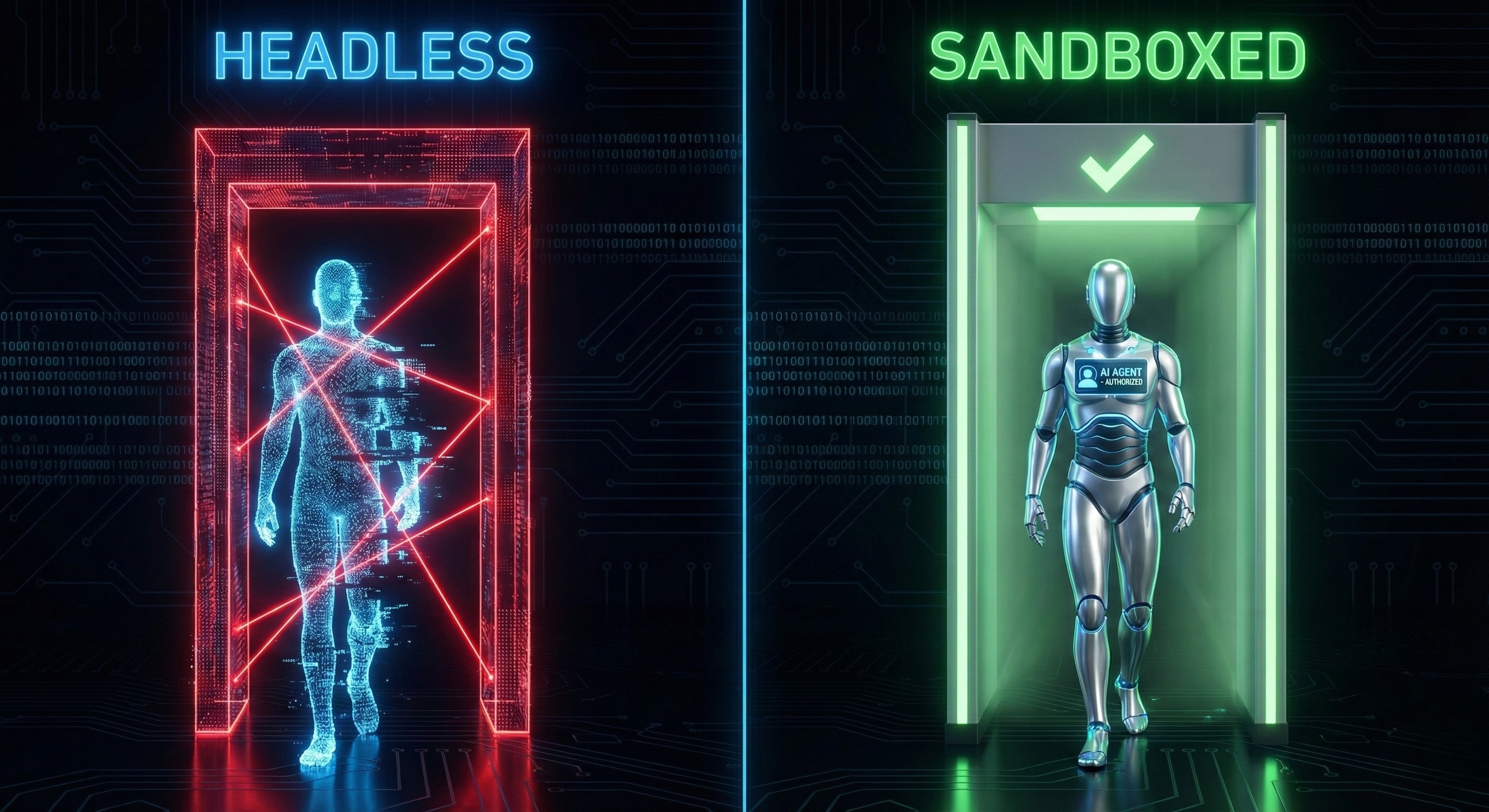
To understand the solution, we must look at the problem. Most legacy automation tools utilize Headless Browsers (like headless Chrome). A Headless Browser is a web browser without a graphical user interface (GUI). It runs in the background of a server. While fast, it emits a very distinct signal: "I am a robot."
1. The Missing Render Pipeline
When a human opens a website, their browser renders graphics, loads fonts, and utilizes the computer's Graphics Processing Unit (GPU).
-
Headless Bot: Skips rendering to save speed.
-
The Detection: Security systems ask, "Why is this user browsing but not drawing any pixels?" It’s an immediate red flag.
2. The "Clean Slate" Anomaly
Real users have history. They have cookies, cached files, and local storage data that accumulate over time.
-
Headless Bot: Starts fresh every time.
-
The Detection: A user who logs in from a pristine, brand-new browser session every single day looks unnatural. It signals a lack of Identity Continuity.
3. The Biometric Vacuum
Real users move mice, scroll with inertia, and type with variable rhythm.
-
Headless Bot: Injects events instantly.
-
The Detection: The absence of "micro-movements" signals that the interaction is programmatic, not organic.
Part 2: What is a "Real Browser Sandbox"?

A Real Browser Sandbox is an isolated, fully-functional virtual environment that replicates the complete hardware and software stack of a legitimate user device.
In Promoi’s architecture, we don't just run a script; we spin up a Digital VDI (Virtual Desktop Infrastructure) via our Cloud Mobile technology for each AI Worker.
1. Full-Stack Rendering
The Sandbox includes a real visual interface. Even though the AI runs in the cloud, it is "viewing" a screen that fully renders HTML5 canvas, WebGL graphics, and fonts.
-
The Benefit: To the website, the session looks identical to a user browsing on a standard laptop or smartphone. The "Digital Fingerprint" is complete.
2. Identity Persistence (The "Memory" Layer)
The Sandbox maintains state. It stores cookies, local storage, and session tokens securely in an encrypted vault.
-
The Benefit: When your AI Worker logs into a CRM or a Social Platform on Tuesday, it "remembers" the session from Monday. This Continuity of Identity prevents security challenges (like CAPTCHAs or 2FA prompts) triggered by "unrecognized new device" alerts.
3. Isolated Network Topology
Each Sandbox operates on a dedicated network connection with residential-grade routing.
-
The Benefit: Traffic appears to originate from a standard ISP, rather than a known data center IP range (which is often blocked by default).
Part 3: The Three Layers of Integrity
How Isolation Protects Your Business
Using a Real Browser Sandbox isn't just about avoiding blocks; it's about Enterprise Security.
Layer 1: Data Isolation (No Cross-Contamination)
If you run multiple accounts or campaigns, you cannot have them sharing data.
-
Risk: In a standard browser, logging into Account A and Account B in different tabs leaks cross-site cookies.
-
Sandbox Solution: Each AI Worker lives in a hermetically sealed container. The data from Agent #1 never touches Agent #2. This ensures strict Data Sovereignty.
Layer 2: Threat Containment
The web is dangerous. Malicious ads or compromised sites can inject malware.
-
Risk: A bot running on your local laptop could expose your corporate network.
-
Sandbox Solution: The execution happens in Promoi’s cloud. If a Sandbox encounters a threat, it is contained within that disposable environment. Your core infrastructure remains untouched.
Layer 3: Behavioral Compliance
Detection systems also look for "Superhuman" speed.
-
Risk: An API script blasting 50 requests per second.
-
Sandbox Solution: The Sandbox enforces Human-Paced Execution. The AI reads, scrolls, and waits. This compliance-aware pacing ensures your operations respect the platform's Terms of Service regarding traffic load.
Part 4: Strategic Use Cases
Where the Environment Matters Most
Certain high-value workflows require the high-fidelity environment of a Sandbox to function reliably.
Use Case 1: Account Management & Growth
-
The Challenge: Managing a corporate brand account on LinkedIn requires consistency.
-
Without Sandbox: Frequent logins from "Headless" servers trigger "Verify Identity" lockouts, freezing your marketing workflow.
-
With Sandbox: The AI Agent maintains a consistent, persistent session. To the platform, it looks like a dedicated employee working from a consistent home office.
Use Case 2: High-Fidelity Market Research
-
The Challenge: E-commerce sites (like Amazon or Airlines) show different prices to bots vs. real users.
-
Without Sandbox: The bot sees generic pricing or "Access Denied" pages.
-
With Sandbox: The AI Agent renders the full page, executes the JavaScript tracking pixels, and sees the actual consumer pricing, ensuring your market data is accurate.
Use Case 3: Complex SaaS Automation
-
The Challenge: Automating a workflow inside a heavy web app like Salesforce Lightning or Figma.
-
Without Sandbox: These apps require heavy GPU rendering and complex DOM manipulation that headless scripts break on.
-
With Sandbox: The full graphical environment allows the AI to interact with drag-and-drop interfaces and canvas elements seamlessly.
Part 5: Comparison: Headless vs. Sandboxed
|
Feature |
Headless Script (Legacy) |
Real Browser Sandbox (Promoi) |
|---|---|---|
|
Visual Rendering |
None (Code only) |
Full (Canvas, WebGL, Fonts) |
|
Session Memory |
Temporary / Forgotten |
Persistent & Encrypted |
|
Device Integrity |
Incomplete Signals |
Complete Device Profile |
|
Detection Risk |
High (Flagged as Bot) |
Low (Seen as Valid User) |
|
Network |
Datacenter IP |
Residential-Grade Isolation |
|
Resource Cost |
Low |
Medium (Worth the stability) |
|
Ideal For |
Simple HTML scraping |
Complex, Login-based Workflows |
Part 6: Implementation
"Hire" a Worker, Don't "Run" a Bot
When you deploy an AI Worker on Promoi, you aren't just running code. You are provisioning a Digital Workspace.
-
Select the Environment: Choose whether your agent needs a Desktop (Chrome) or Mobile (Android/iOS) environment.
-
Assign Identity: The system generates a unique, consistent digital fingerprint for that worker.
-
Deploy: The Agent spins up in its secure cloud sandbox, ready to execute tasks.
This approach shifts the paradigm from "Hiding" (trying not to get caught) to "Belonging" (operating as a valid, compliant participant in the digital ecosystem).
FAQ: Understanding Browser Sandboxes
-
Q: Is "Avoiding Detection" the same as breaking rules?
-
A: No. It is about preventing False Positives. Security systems often block any traffic that doesn't look like a standard browser, even if the activity (like reading public data) is legitimate. A Sandbox ensures your legitimate traffic is recognized as such.
-
-
Q: Does Promoi use "Anti-Detect" Browsers?
-
A: We use Enterprise VDI (Virtual Desktop Infrastructure) technology. While similar in principle (isolation and identity management), our focus is on security, persistence, and team orchestration, rather than the mass-account farming associated with "Anti-Detect" tools.
-
-
Q: Can I view what the Agent sees in the Sandbox?
-
A: Yes. Because it is a real browser, Promoi offers a "Live View" mode. You can watch the AI Agent navigate the web in real-time, just like screen-sharing with a remote employee.
-
-
Q: Is it safe to store login credentials?
-
A: Yes. Credentials are injected into the Sandbox via an encrypted vault. The session is maintained securely, and the sandbox is destroyed or frozen after the task is complete, ensuring no residual data risk.
-
Conclusion: Validity is the New Security
In 2026, you cannot automate the web with ghosts. You need digital employees that exist in the real world.
By providing your AI Agents with a Real Browser Sandbox, you ensure that your operations are resilient, compliant, and treated with the same validity as human traffic.
Don't let your automation get blocked at the door. Give your AI a proper workspace.
Secure Your Digital Workforce with Promoi